

Customers in the United Kingdom who set up an account at register account casino majestic slots need to know exactly how the login and registration process works before they add money or play. The site adheres to UK Gambling Commission rules on identity checks, data protection and account access, so the steps you complete at registration directly affect how quickly you can authenticate your account and start accessing its features. This article explains each stage of the procedure, from the first form you fill in to the security tools that secure your balance once you are logged in.
Protecting Your Account from Frequent Threats
Deceptive emails that pose as Majestic Slots Casino often include pressing language about account suspension or unclaimed winnings. The site never asks you to verify your password or two-factor code by email, so any message containing such a request should be treated as fraudulent. Submit suspicious emails to the security team and delete them without clicking links. If you have already entered details on a fake site, change your password and check recent transactions immediately.
Public Wi-Fi networks pose another risk because traffic can be monitored. Employ a reputable virtual private network when logging in from cafés, airports or hotels. The VPN should use AES-256 encryption and should not maintain activity logs that could be demanded by third parties. Avoid saving your password in browser autofill on shared devices, and instead employ a dedicated password manager that requires a master password or biometric unlock. These small habits greatly minimize the chance of unauthorised access.
Password Recovery and Account Login
The password reset link is sent to the email address registered on the account. You must activate the link within two hours and then create a new password that is distinct from the previous five passwords you have used. If you no longer have access to the original email address you will need to contact live chat and respond to the security questions you set at registration. The support agent will ask for the last four digits of the card used for your most recent deposit, so store a record of your transaction history in a secure location.
Players who have enabled two-factor authentication but lose their phone can obtain a backup code that was displayed during the initial setup. These ten single-use codes should be saved and stored offline. If you have neither the phone nor the backup codes, the account will be sent to the security team for manual review. This process can take up to five working days because the team must confirm that the person requesting access is the original account holder through additional document checks.
Updating Your Details Current
When you move house or update your mobile number you need to update the information in the account profile before you proceed with a withdrawal. The verification team matches the name and address skysports.com on file with the documents you submitted, so an incorrect postcode can cause the payment being held. You can change your email address through the profile page, but the system will transmit a confirmation link to both the old and new addresses to stop hijacking. Mobile numbers can be updated without additional verification, yet you ought to ensure the new number is functional before relying on it for any future support requests.
If you switch your debit card you should delete the old card from the cashier section and enter the new one. The site holds only the last four digits and the expiry date, at no time the full card number, in line with PCI-DSS requirements. If you lose access to the email address linked to the account, modify it before you miss the ability to receive password resets. Keeping contact details up to date is a easy yet effective way to bypass delays when you need to regain access or submit a withdrawal.
Understanding each stage of the login and verification process at Majestic Slots Casino enables you to move from registration to first withdrawal without unnecessary interruptions. Set aside the time to provide clear documents, turn on two-factor authentication and review your login history regularly. These actions protect both your funds and your personal data while satisfying the regulatory requirements that apply to every UK-licensed operator.
Two-Factor Authentication Settings
Majestic Slots Casino offers time-based one-time passwords generated by authenticator apps such as Google Authenticator, Authy and Microsoft Authenticator. After you capture the QR code presented on the security page the app commences generating codes that are usable for thirty seconds. You can also add multiple devices to the same account, which is helpful if you regularly switch between a phone and a tablet. The site does not provide SMS-based two-factor authentication because of known SIM-swap vulnerabilities, so an authenticator app is currently the only available method.
Once two-factor authentication is turned on you will be asked for a code each time you log in from a new browser or after clearing your cookies. You can temporarily disable the requirement for a specific device by selecting the trusted-device option, yet the setting lapses after thirty days or if your IP address changes drastically. Should you decide to remove two-factor authentication entirely you must first type a current code and then validate the change via a link dispatched to your registered email. This two-step confirmation blocks unauthorised users from weakening your account security.
Establishing Your Account One Step at a Time
The registration page asks for your title, first name, last name, birth date, email address and mobile number. You must pick a username that has not already been claimed and create a password that contains at least one uppercase letter, one number and one symbol. After you hit the create account button the site sends a confirmation email with a six-digit code that is valid after thirty minutes. Type the code on the next screen to enable the account. At this stage the account is live but constrained: you can view games yet you cannot deposit or withdraw until identity verification is finished.
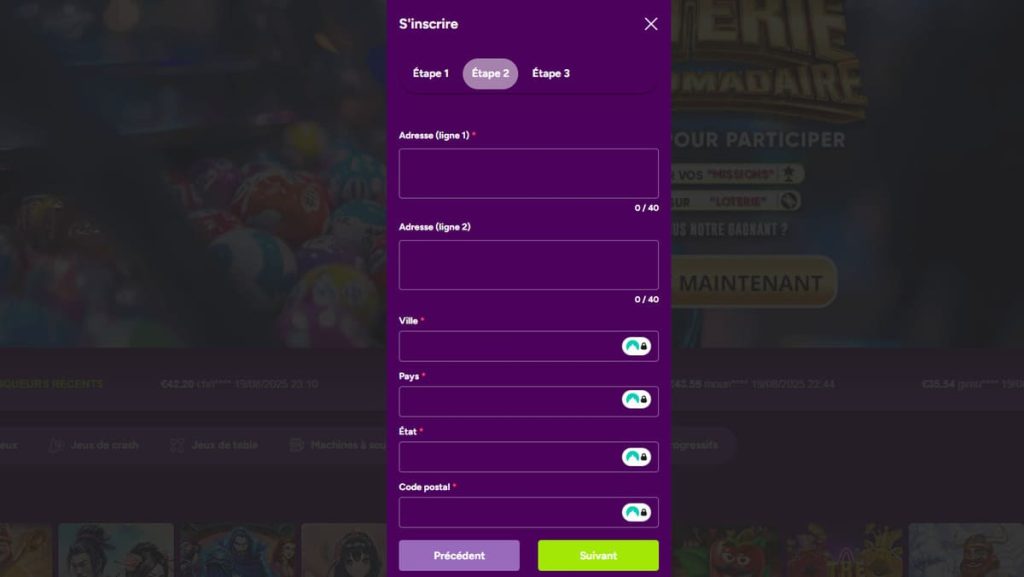
Next you are asked to establish security questions and to turn on two-factor authentication. The questions are used if you ever need to regain access from a new device, while two-factor authentication employs an authenticator app rather than SMS to prevent SIM-swap risks. You can skip two-factor authentication at this point, but the system will remind you each time you log in until it is enabled. Performing these steps immediately after registration reduces the chance of future access problems and demonstrates to the verification team that you are serious about account safety.
Documents Required for Identity Verification
UK players need to upload photographic proof of identity and residence proof before any withdrawal can be processed. The accepted identity documents consist of a valid UK passport, a photocard driving licence or a government-issued identity card that displays your full name, date of birth and a clear photograph. The proof of address can be a utility bill, council tax statement or bank statement dated within the last three months that displays your name and the postcode you used at registration. All documents need to be in colour, show all four corners and be saved as JPG, PNG or PDF files under ten megabytes each.
If your driving licence displays an old address you have to supply a second document, such as a recent bank statement, that associates your name to the current postcode. Players whose names have changed through marriage or deed poll need to upload the relevant certificate alongside the standard documents. The compliance team strives to review submissions within twenty-four hours on weekdays, although volumes may be higher on Monday mornings and after bank holidays. You will receive an email confirming whether the documents are approved or whether clearer images are required.
Typical Reasons for Verification Delays
Blurry or cropped images represent the most frequent cause of rejection. Make sure the text on utility bills can be read and that the date is visible in the same photograph. If you upload a PDF containing multiple pages, the system reads only the first page, so combine your identity and address documents into separate single-page files. Players who submit documents from joint accounts need to ensure their name is shown on the statement; otherwise the verification team will request a letter from the bank confirming the account holder.
Another frequent issue occurs when the postcode on the document does not precisely match the postcode entered at registration. A missing space or an extra letter can trigger a manual review. If you have recently moved, update your bank and utility providers first, then wait for a statement that lists the new address before you upload it. This small preparation step often removes the need for extra correspondence and hastens the entire process.
Which individuals Can Create an account at Majestic Slots Casino
Only individuals aged 18 or over who are physically located in Great Britain may open an account. During the opening step of registration you must supply a valid UK postcode and verify you are not using a VPN or proxy that masks your location. The system verifies the postcode against the electoral roll, so the address you supply needs to correspond with the one held by your bank or on official documents. If you are based in Northern Ireland the same age and location rules hold, but you should also confirm that your chosen payment method supports transactions from that region. Players who have before self-excluded through GamStop are routinely blocked from creating a new account until the exclusion period ends.
Residents of the Channel Islands and the Isle of Man are considered as UK customers for verification purposes, yet some payment providers apply extra checks on cards issued in those territories. If you are looking to use a debit card, verify the billing address on file with your bank fully matches the address you type on the registration form. Any mismatch will hold up the first deposit and the subsequent identity check. Majestic Slots Casino does not welcome customers who are classified as politically exposed persons or who are found on sanctions registers, so the compliance team may ask for additional information if automated screening triggers a flag.
Logging In for the First Time
Once verification is approved you get a second email indicating that deposits and withdrawals are now available. Go back to the login page and input the username and password you created earlier. If two-factor authentication is active the site will request you for the six-digit code from your authenticator app. The code changes every thirty seconds, so type it without delay to avoid timeout. After the first successful login you are prompted whether you want the browser to store the device; selecting yes establishes a secure cookie that remains valid for thirty days, after which you will be asked to verify again.
Should the login be unsuccessful three times in consecutively the account is temporarily suspended for fifteen minutes. This cooling-off period cannot be reduced by customer support, so it is recommended using a password manager to avoid repeated typing errors. If you continue to encounter an incorrect password message after the lockout ends, submit a password reset rather than trying further. Repeated failed attempts can also initiate an additional security review that may require fresh identity documents.
Session Management and Automatic Sign-Out
After thirty minutes of inactivity the site ends your session and returns you to the login page. This timeout cannot be adjusted in the account settings, however you can extend the session by placing a bet or opening the cashier within the thirty-minute window. If you are using a public or public computer the automatic logout lowers the risk of someone else getting into your account after you step away. The system also tracks the IP address, device type and approximate location of every login, and you can see the last ten sessions in the security section of your profile.
Should you see an unfamiliar login location you can immediately end all active sessions from the same security page. This action compels every device, including your own, to re-input the password and two-factor code. The feature is especially useful if you have lately travelled or used hotel Wi-Fi, because those networks sometimes share IP addresses with other guests. Checking the login history once a month helps you spot any unusual patterns before they become problems.